Every June, Apple’s Worldwide Developers Conference gives us a look at the road ahead — the place where the hardware we know meets the software we’re about to build. At MartianCraft, we’ve been shipping apps on Apple’s platforms since the earliest days of Mac OS X and iPhone OS, so we always settle in for the keynote with a notebook and a strong cup of coffee, our Susan Kare-designed blanket, and our Throwboy Mac pillow.
If WWDC25 was about unifying the platforms under a shared look and a shared version number, WWDC26 is about making them smarter, more performant, and user appealing.
This year’s headline is unmistakable: The long-promised, deeply personal Siri finally arrives as Siri AI, and the next generation of Apple Intelligence spreads into nearly every app you touch.
For those of us who write the apps, there’s an equally big story in the developer tools — new AI frameworks, on-device model support, and agentic coding baked right into Xcode. Let’s unpack the announcements platform by platform.
Welcome to Version 27
The unified version number that arrived last year is sticking around — and ticking up. iOS, iPadOS, macOS, watchOS, tvOS, and visionOS all move to 27 this fall.
After a decade-plus of mismatched numbers, having one number to rule them all continues to make life simpler for everyone: Users know what they’re running, and developers get a cleaner story about feature parity across the ecosystem. The betas are available to developers today, with a public beta arriving next month and the free user-facing updates shipping this fall.
Siri AI: The Assistant We’ve Been Waiting For
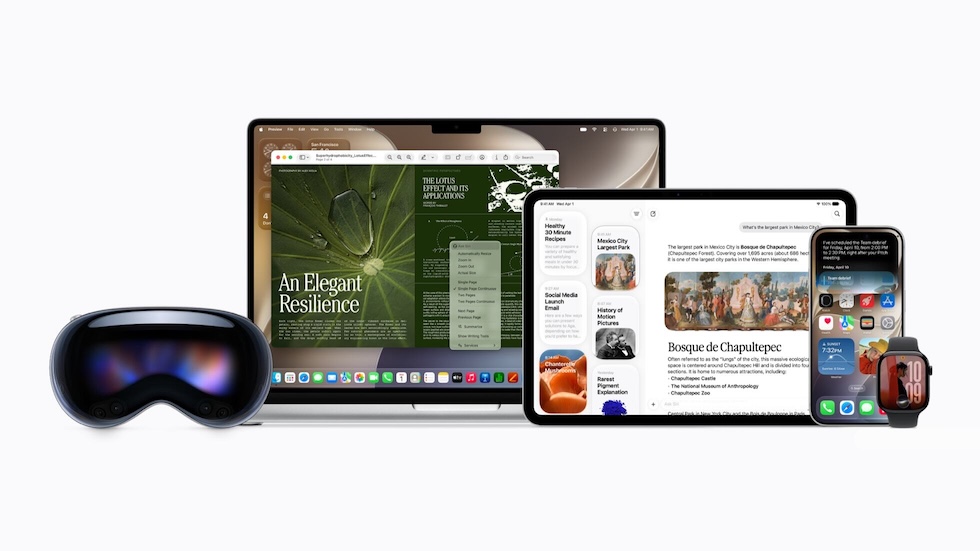
Siri AI is not a coat of paint on the old assistant — it’s a rebuild from the ground up, with Apple Intelligence at its core.
Three capabilities define it.
First, personal context understanding: Siri can reason across your messages, emails, photos, and more, so you can ask it to dig up the restaurant a friend recommended last week or the confirmation number buried in an old email.
Second, onscreen awareness: It understands what’s on your display and can act on it — read a text about a potluck, generate ideas for what to bring, and drop a recipe into Notes without you leaving the conversation.
Third, broad world knowledge: Siri can now go out to the web and answer open-ended questions, then keep the thread going with natural follow-ups. You can ask it about current events, and it can search through news articles to find exactly what you’re talking about and add to the conversation.
It shows up everywhere you’d want it. You can still say “Hey Siri,” but on iPhone you can also press the side button or swipe down from the Dynamic Island for an in-depth answer.
On iPad and Mac, Siri lives in Spotlight and in system context menus, so you can Control-click an image, file, or selection and just ask.
On Apple Vision Pro it becomes a 3D presence you can place in your space and talk to by looking at it. And it follows you onto Apple Watch, CarPlay, and AirPods.
There’s also a dedicated Siri app that keeps your conversation history in one place and privately syncs it across devices via iCloud — start a chat on the Mac, finish it on your iPhone.
Visual Intelligence expands beyond iPhone to iPad, Mac, and Vision Pro, and a new Siri mode in the iPhone Camera lets you point at the world and get answers — split a bill with Apple Cash, pull nutrition info off a plate of food, and more.
Add to that genuinely useful writing tools that draft and revise text almost anywhere you type (and even match the tone you usually use with a given recipient), plus more expressive voices and noticeably sharper dictation on Apple’s newest on-device model.
As always, Apple’s pitch leans hard on privacy. Siri AI runs on a mix of on-device processing and Private Cloud Compute, with requests handled in a way Apple says keeps your data inaccessible to anyone — itself included — and open to outside verification. Siri AI is available for developer testing now (you can sign up for the beta in iOS, macOS, iPadOS, or visionOS version 27) and arrives as a user beta later this year, starting in English only.
Apple Intelligence in the Apps You Use Every Day
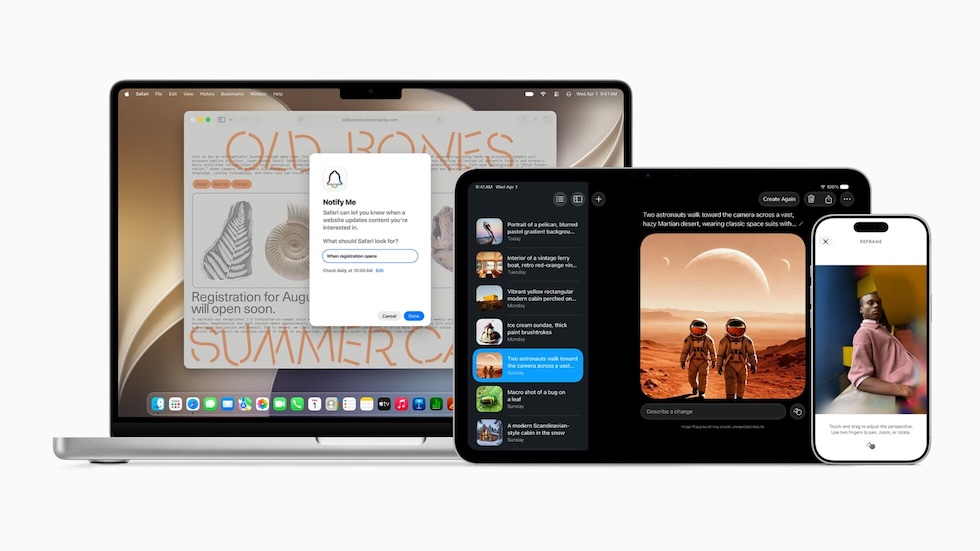
Beyond Siri, the next generation of Apple Intelligence will quietly thread itself through the stock apps. A few examples that stood out:
- Photos: Spatial Reframing. Improve a shot’s composition after you’ve taken it — handy for the photos you didn’t get quite right in the moment.
- Safari: Notify Me. Ask Safari to watch a web page and ping you when something changes, like a restock or a price drop.
- Image Playground: Photorealistic generation. New styles, including high-quality photorealistic images for when the cartoon look won’t do.
- Messages: One-tap suggestions. Context-aware shortcuts that, say, spin up a reminder or a note straight from a conversation.
- Mail: A rebuilt, more relevant, smarter, and more reliable search system.
For Developers: Intelligence Frameworks, Core AI, and an Agentic Xcode
This is where the keynote got our attention. Last year, Apple introduced the Foundation Models framework; this year it grows up.
It’s now a single native Swift API that supports more capable on-device models with image input, an option to reach server models, and the ability to define custom skills. Under the hood, the next-generation Apple Foundation Models were built in collaboration with Google and its Gemini models.
Two details are worth circling for indie developers: Through the new language model protocol, you can plug in models of your choice — Claude, Gemini, or anything else that implements it — rather than being locked to one provider.
And developers in the App Store Small Business Program with fewer than two million lifetime downloads can run the next-gen Apple Foundation Models on Private Cloud Compute at no cloud API cost, which lowers the barrier to shipping AI features considerably. The framework also adds Dynamic Profiles to adjust how a model behaves in your app on the fly.
For teams that want to bring their own models, Core AI is a brand-new framework for running models on-device, with an architecture tuned for the unified memory and Neural Engine of Apple silicon — enough to deploy full-scale LLMs locally. And updates to app intents let you wire your app into Siri AI’s personal context, app actions, and onscreen awareness, so your app’s content and capabilities become discoverable across the system.
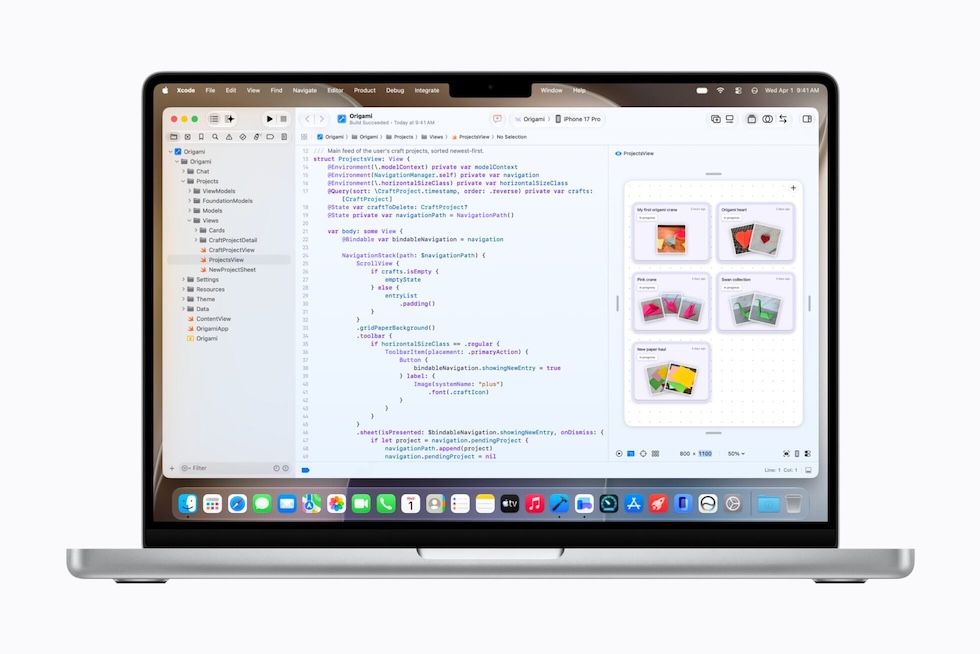
Then there’s Xcode 27, which brings even more this year for agentic coding. You can now work with agents from Anthropic, Google, and OpenAI directly inside Xcode, with interactive planning, multiturn Q\&A, and a canvas that renders Markdown and shows code changes and previews right alongside the conversation. Crucially, Xcode gives those agents the tools to check their own work — writing and running tests, trying ideas in isolated Playgrounds, verifying visual changes with previews, and driving the simulator through a new Device Hub — so they can run autonomously for longer stretches.
The App Store: New Ways to Market and Get Discovered
Apple is also handing developers more levers to grow. Creative assets let you place rich images and video in the product page header and search results to highlight a brand or a seasonal push, and a new Asset Library in App Store Connect keeps all of that media in one place — reusable across custom product pages and In-App Events, and submittable for review independent of an app update.
Two housekeeping wins worth celebrating: In-App Purchases and related items can now be grouped into a single, unified App Review submission, and apps on the Mac App Store no longer require Intel support — you can ship Apple-silicon-only binaries and stop maintaining multiple builds. (More on the end of Intel below.)
Parental Controls and Screen Time Get Serious
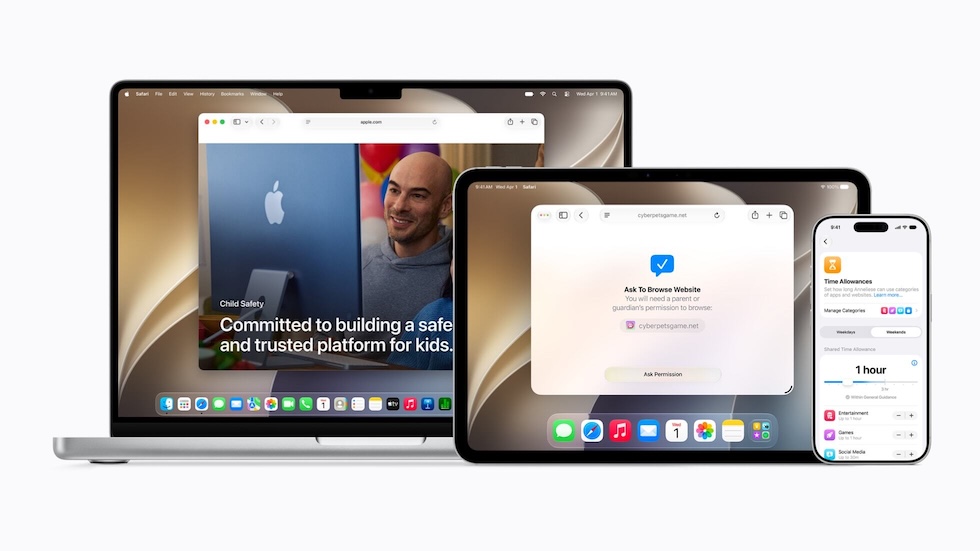
Families are getting a meaningful set of new tools. Setting up a child account enables age-appropriate protections across the system right away, and a Setup Assistant lets parents choose exactly which apps are available and stay in control as new ones are added. Communication Safety — already blurring nudity in Messages and FaceTime for users under 18 — now also steps in on gore and violent content, and parents can require approval for each new contact.
New Time Allowances make it easy to set daily limits across Entertainment, Games, and Social Media, with suggested starting points informed by clinical and child-development experts. Schedules govern which apps are available at different times of day, and Screen Time has been redesigned for an at-a-glance view of usage.
For developers, there’s a to-do: The age-rating questionnaire is being updated in July so you can indicate whether your app has social media features, which determines how it’s sorted into Time Allowance categories. It’s worth checking your apps when that lands in App Store Connect.
Polish, Performance, and the Quiet Wins Across Every Platform
Plenty of the year’s best work is in the details. On performance, Apple cites apps launching up to 30% faster, photos loading up to 70% faster after capture, AirDrop up to 80% faster, and browsing external drives on iPad up to 5x faster — roughly Finder-on-Mac territory. Network transitions between cellular and Wi-Fi are smoother, and search in Spotlight, Photos, and Mail has been rebuilt to be more stable. (As always, treat Apple’s benchmark figures as best-case numbers from their own testing.)
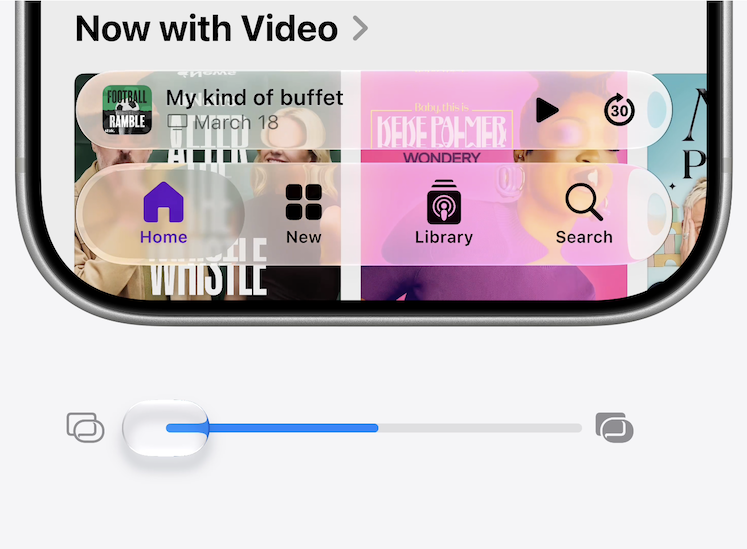
On the design side, Liquid Glass gets a transparency slider in Settings so users can dial it anywhere from ultra-clear to fully tinted, and it adapts to accessibility settings. App icons are sharper. And on the Mac, Apple is reincorporating cornerstones longtime users have missed — a more uniform toolbar, edge-to-edge sidebars, and colored sidebar icons.
A grab bag of additions arriving this fall:
- iCloud Shared Albums get cross-platform sharing with full-resolution support.
- Health adds perimenopause and menopause support in Cycle Tracking, including cycle-deviation notifications.
- Apple Watch gains a dynamic app grid of five Siri-suggested apps, a tap gesture to open Smart Stack widgets, and a consolidated Find My app.
- AirPods get custom EQ, and AirPods Pro 3 can sync heart-rate data through iPhone with expanded GymKit.
- Apple Vision Pro can turn panoramas into spatial scenes for use as personal Environments, with Wi-Fi connections up to 3x faster.
- Apple Maps gets an enhanced Flyover that blends aerial imagery with AI for more detailed visuals.
And, Quietly, the Last of Intel Fades Out
Last year’s recap noted that macOS 26 Tahoe was the final Intel-compatible release. This year the consequences arrive in the toolchain: Xcode 27 is Apple-silicon-only and meaningfully smaller, and the Mac App Store no longer requires Intel builds. If your team is still shipping universal binaries out of habit, this is your nudge — the future of the Mac is Apple silicon, full stop, and the tools now assume it.
The Asterisk: Siri AI and the EU
Not all of this lands everywhere at once. Because of the EU’s Digital Markets Act, Siri AI will not ship in the European Union on iOS 27 and iPadOS 27 when the updates arrive this fall — and there’s currently no timeline for it. EU-based developers won’t be able to test the new Siri AI features for their iOS and iPadOS apps, but EU users will still get Siri AI on macOS 27, visionOS 27, and watchOS 27.
Apple’s framing is a privacy and security argument: It says regulators’ interpretation of the DMA would require giving any third-party assistant deep access to a user’s data and the ability to act across apps, and that it proposed a Trusted System Agent intermediary plus an 18-month phased rollout, which the European Commission declined. Apple also notes that Siri AI and the other new Apple Intelligence features won’t be available in China yet while it works through local requirements. It’s a reminder that, increasingly, where a feature ships is as much a regulatory question as a technical one — something to keep in mind if your audience is global.
Why WWDC Still Matters
WWDC felt a lot smaller this year, with more focused updates specifically around making sure that Apple’s operating systems are at peak performance. Those updates are welcome in a world where we’re always itching to go faster, add more features, and revisit and perfect existing features.
In a year of constant point releases and quiet feature drops, WWDC is still where Apple states its intentions out loud. This year those intentions are clear: Make the assistant genuinely useful, push intelligence into the everyday apps, and — importantly for us — give developers real, flexible AI building blocks and an Xcode that can pull its weight alongside coding agents.
The fact that you can bring the model of your choice, including Claude, and that small teams can tap Apple’s models at no cloud cost, says a lot about who Apple wants building the next wave of apps.
At MartianCraft, we’re already pulling down the betas, kicking the tires on the intelligence frameworks, and thinking about how app intents, Siri AI, and on-device models change what our clients’ apps can do. If you’re wondering what these tools mean for your product — or you want a partner to help you build it — we’d love to talk. Reach out.